MacBook for AI: From Cloud Apps to Local Training
Can even the MacBook Neo handle AI in a browser?
Which MacBook should you buy for AI in 2026? If you use ChatGPT, Claude or Gemini in a browser, even the MacBook Neo with an A18 Pro and 8 GB of unified memory can handle access, with a compatible browser and a suitable internet connection.The large model runs on the service's servers rather than the laptop's GPU. Your computer displays the page, sends prompts and receives responses; a more powerful GPU does not directly accelerate that remote processing.
Your other activities shape the purchase. Writing, research, video calls and development with tests and containers place different demands on a computer. Memory, storage, display, ports and portability matter according to those tasks; simply using AI does not determine the model.
Cloud AI does not choose your Mac; your other tasks reveal how much hardware you need. For writing, research and online services, the Neo enters the comparison through its cost. If browsing accompanies video editing, software projects or large files, those activities guide the configuration.
Buying a Pro solely for faster browser AI responses targets the wrong resource: generation happens on the server. No Mac runs those web services without a connection; offline use requires a local model.For predominantly online work, compare Neo and Air by display, portability and price. Recurring local workloads, such as video editing or software development, are reasons to reconsider the configuration even when AI access stays in the browser.
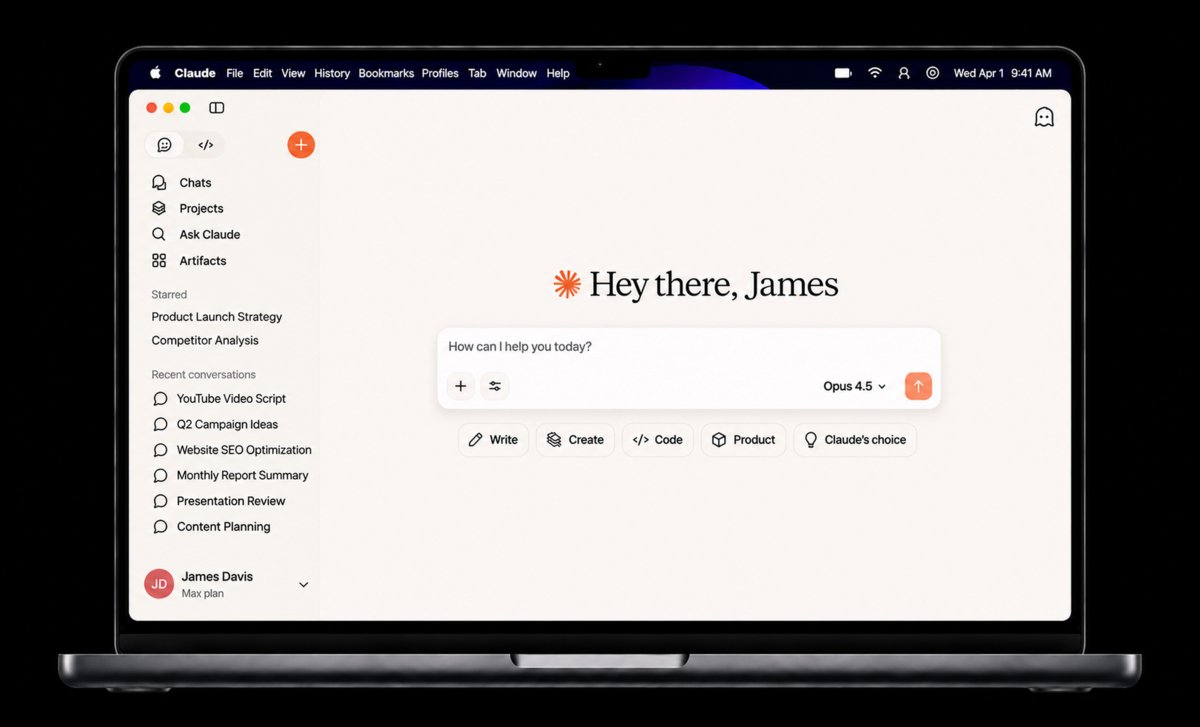
Using AI in a browser does not, by itself, require a MacBook Pro.
Do ChatGPT desktop, Codex and terminal agents require a Pro?
For desktop apps, first check compatibility, then assess the tasks performed on the computer itself. The ChatGPT macOS documentation specifies macOS 14 and Apple Silicon M1 or better, or Intel; that page alone does not establish support for the Neo's A18 Pro.Check the app and version you plan to install. With tools connected to remote models, the interface and working environment run on the Mac while response generation can remain in the cloud.
Codex CLI, Claude Code, Antigravity CLI and OpenCode can read files, edit projects and run commands on the Mac while consulting remote models.The important workload includes the work they launch: compilation, tests, local servers, indexing or browser automation. These tasks consume CPU, RAM and disk resources even when text generation is remote.
To assess an Air for this use, consider project size and the applications kept open. An editor, containers, browser and simultaneous tests make memory capacity more relevant; long, repeated builds also bring cooling into the decision.The MacBook Air configuration guide helps evaluate memory and storage for these local tasks. The buying criterion becomes your development environment: which tools you use, how much work runs locally and how often that load repeats.
An 8 GB Neo or older Air is risky for an environment already pressured by containers, an editor, a browser and heavy tests. Buying the same memory capacity is unlikely to resolve that bottleneck.For smaller projects with few services and short runs, weigh the Air's memory, storage and portability. Repeated lengthy builds make the Pro's active cooling more relevant. This is a workload assessment, not a fixed memory requirement for the agent.
Air with 24 or 32 GB versus Pro with 16 GB: which trade matters?
The price references consulted list the 13-inch M5 Air with 24 GB of memory and a 512 GB SSD at US$1,493. With 32 GB and the same storage, the price rises to US$1,690.The 14-inch M6 Pro with 16 GB of memory and a 1 TB SSD is listed at US$1,999: US$506 more than the 24 GB Air and US$309 more than the 32 GB version. That gap puts the trade between more memory in the Air and the Pro's additional features into perspective.
Prices attributed to Amazon US by third-party comparators consulted on November 17, 2026, before taxes. Confirm the final price and availability on the selected offer. Sources and identified configurations are listed in the article references.
| Feature | MacBook Air 13″ M5 32 GB / 512 GB | MacBook Pro 14″ M6 16 GB / 1 TB |
|---|---|---|
| Reported Amazon US price (consulted Nov. 17, 2026) | US$ 1,690 | US$ 1,999 |
| Installed unified memory | 32 GB | 16 GB |
| Included SSD storage | SSD 512 GB | SSD 1 TB |
| CPU / GPU configuration | M5 10 CPU / 10 GPU cores | M6 12 CPU / 12 GPU cores |
| Cooling mechanism | Fanless | Active cooling |
| External connectivity | 2 × Thunderbolt 4; MagSafe 3 | 3 × Thunderbolt 4; HDMI; SDXC; MagSafe 3 |
Amazon US prices reported by third-party comparators, consulted Nov. 17, 2026; not verified directly at Amazon checkout. Air 32 GB / 512 GB: US$1,690 reported by Smartprix; Pro 16 GB / 1 TB: US$1,999 reported by PriceHistory. The Air 24 GB / 512 GB price of US$1,493 is reported separately by Laptop vs Laptop. Reports are not simultaneous Amazon observations. Seller, new condition, stock, delivery and final price require confirmation on the selected offer. Different chip generations and SSD capacities; available memory is shared with the system and applications. These are price references, not controlled performance tests.
The higher-memory M5 Air has a 10-core GPU and fanless body; the M6 Pro has a 12-core GPU, active cooling, more connections and a larger SSD. Prolonged processing and several peripherals make those additions more relevant.
For a local LLM, the Air's 32 GB provides more capacity for weights and working memory than the Pro's 16 GB.The Pro instead combines more storage with resources for sustained workloads. Capacity and speed meet different needs; these specifications do not establish a performance ranking. Our Air-versus-Pro comparison also covers display, ports and portability.
A 16 GB Pro is ineffective for keeping roughly 20 GB of quantized weights entirely in memory: the weights alone exceed total capacity, and SSD storage does not replace RAM. More memory, a smaller model or remote execution are alternatives.The 32 GB Air deserves attention when fitting local models within budget is the priority. If the model fits and work also needs prolonged processing, storage or connections, consider the Pro's additional resources.
You do not need to memorize chips or predict a model's size. Simple questions about your tasks connect configurations with your priorities, helping you avoid unnecessary limitations and spending on features that do not benefit your workflow. It takes just 1 minute. Start the quiz
Local LLMs: how should you interpret 7B, 14B and 32B models?
When a language model, or local LLM, runs offline with Ollama or LM Studio, its weights and working memory compete with macOS and other applications.In Ollama's Qwen2.5 catalog, the cited downloads occupy 4.7 GB for 7B, 9.0 GB for 14B and 20 GB for 32B.Parameter count indicates model scale; quantization, which reduces the precision used to store weights, also affects size. These catalog values represent downloads. Execution additionally involves conversation context, program structures and other applications.

Start with the models and context you need. Longer conversations and open applications compete for memory; more RAM provides additional room. Consult the variant's requirements and observe its consumption in your chosen program. The chart compares downloads, while this check brings the purchase closer to your actual use.
LM Studio recommends 16 GB or more; unified memory is shared by CPU and GPU. A 7B model can start experimentation, 14B requires more attention to context, and 32B makes capacity particularly important. Frequent local use gives RAM more weight in the budget; occasional experiments should be weighed against the computer's main purpose.
For full weight residency, 8 GB falls below the roughly 9 GB Qwen2.5 14B Q4_K_M download; 16 GB falls below the roughly 20 GB 32B Q4_K_M download.An 8 GB Neo and 16 GB Air or Pro, respectively, are ineffective for that goal. This capacity comparison does not rule out every execution method: SSD offloading or different quantization changes the scenario.
For LM Studio, the current documentation does not support Intel Macs. It advises smaller models and modest contexts on 8 GB Macs. That capacity mismatches regular use of larger models and long conversations.Accepting small models can suit occasional learning; daily work should be sized around its required model and context. Decide whether to invest in RAM or keep experiments small and use the cloud for larger tasks.
For a local LLM, memory capacity changes what fits; the chip changes how that workload is processed.
Does training AI change the choice between Air, Pro and iMac?
Inference uses already-trained weights; fine-tuning adapts a model, while full training creates its parameters through a much larger computational workload. MLX LM documents LoRA and QLoRA for adapting models on Apple silicon with techniques that reduce tuning resources.Model, method and dataset guide sizing. PyTorch MPS also accelerates supported operations, but does not automatically reproduce a CUDA environment designed for servers.
The four-port M6 iMac can be configured with 32 GB and offers a desktop alternative with a built-in display rather than portability. The professional M5 Pro and M5 Max MacBook Pro variants offer higher memory limits depending on chip and GPU.These capacities become relevant when experiments must keep more data and training structures in memory. Define the kind of tuning and software environment before choosing a configuration. The MacBook Pro family guide explains those variants.
Training large foundation models requires infrastructure, data and compute budgets. By editorial choice, this guide covers computers with built-in displays: Air, Pro and iMac, keeping a separate monitor decision outside the comparison.Mac mini is excluded from local execution and AI training comparisons because of that scope, not inability. The Neo represents web access. Distinguish accessing a service, operating tools, loading weights and training models.
No RAM upgrade resolves CUDA compatibility: a workflow dependent on CUDA-only libraries or extensions requires the NVIDIA ecosystem. No MacBook or iMac runs that same workflow locally.Adapt it to a compatible backend such as MPS, or use other infrastructure. Buying a costlier Pro to preserve CUDA-only software is ineffective. For local tuning, 8 GB suits only small, previously sized experiments rather than a general training workstation.
If you want to learn through small adjustments in compatible tools, start with the experiment's requirements and available capacity. For prolonged, recurring sessions, memory and cooling carry more weight in the Pro comparison; the iMac enters when a desktop workstation with an integrated display is the priority.If model scale or software requires other infrastructure, the Mac can remain your development and remote-access machine without performing all training locally.
Find the right Mac for you
1 of 6 Questions
When you're working, what usually happens?
Multitasking habits
As an Amazon Associate I earn from qualifying purchases.