iMac M6: Choosing Chips, Memory, Display, and Ports
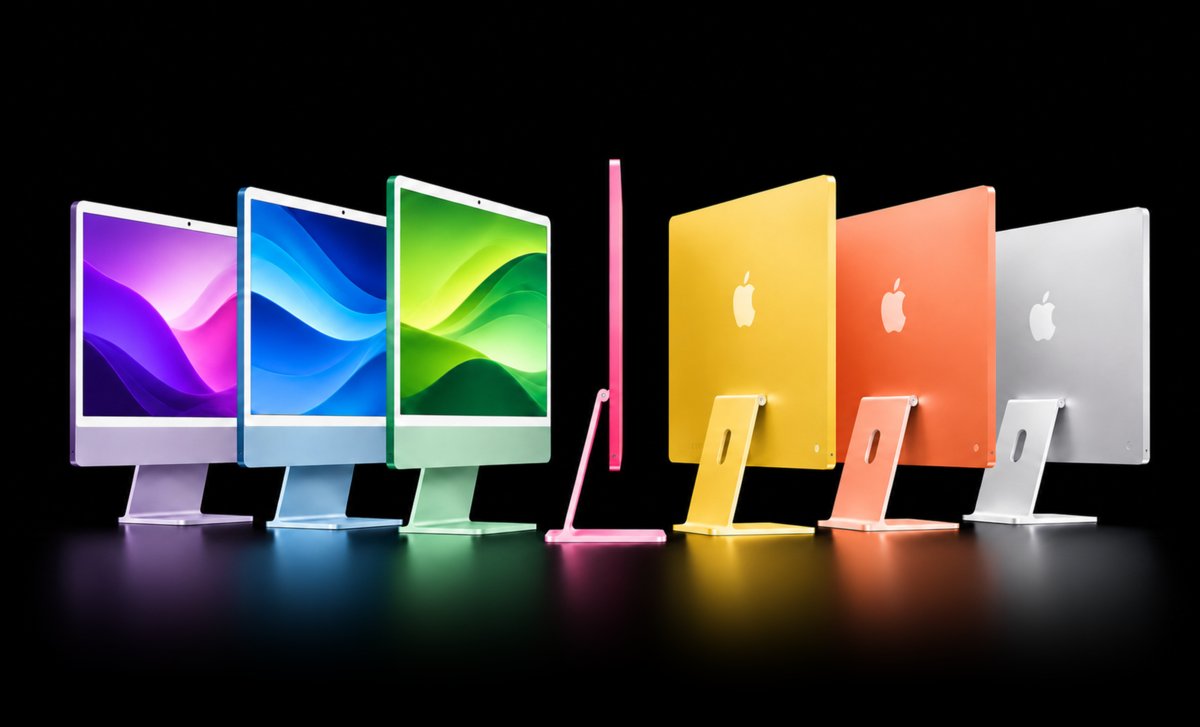
iMac M6: The Difference Starts with Your Workday, Not the Screen
The 2026 iMac M6 comes in versions that look almost identical but support different ways of working. The entry configuration has a 10-core CPU and GPU; the higher configuration moves to a 12-core CPU and GPU. They share the same display. Ports and memory options differ. Which iMac M6 makes sense for your workday?
Choosing by price and current use seems straightforward: browsing and writing demand less than editing large projects. But that overlooks connected accessories and growing files.On the iMac M6, limits show up in your workflow before they show up in its appearance. The inconvenience may arrive later, when you need another monitor.
Compare writing reports with a few windows open to reviewing a visual project while a call, browser, and large files remain active. The first routine may work well on a simpler configuration; the second puts different demands on memory, ports, and screen organization.An external SSD may seem like a convenient answer to growing files, but it occupies a connection for part of the workday. This comparison separates capabilities established by the specifications from performance expectations those specifications do not measure.
The immediate trade-off: pay for the base model or for the higher configuration’s expansion capabilities.
Two-Port vs. Four-Port iMac M6: What Does the Extra Cost Buy?
The US launch list prices Apple announced in October 2026 start at $1,499 for the base model and $1,699 for the higher configuration.The calculation is straightforward: $1,699 minus $1,499 equals $200. This is the difference between starting configurations at the announcement date, rather than a retail offer or a Brazilian price.
According to Apple’s specifications, the entry version combines Thunderbolt/USB-C ports with support for one external display; the higher configuration adds connectors and supports more screens.That matters when an external SSD, audio interface, dedicated camera, and monitor are connected at the same time. Docks can organize cables, but they do not automatically change the chip’s official display limit.
The CPU architecture also differs: both chips include super, performance, and efficiency cores, with different combinations. The practical interpretation is greater potential processing capacity in the higher configuration, without turning core counts into an exact export-time saving.The Ars Technica review tests the iMac M6 under load, but it is not a matched test of every version offered in the store.
The extra cost buys concrete possibilities for how you work. The actual benefit depends on the peripherals and projects that occupy your desk.

Physical limits: port counts and display support are configuration constraints, not cosmetic details.
How Much Unified Memory Does the iMac M6 Really Need?
Both configurations start with 16 GB of unified memory, shared by the CPU, GPU, and other system tasks. The entry version can be configured with 24 GB, while the higher version also offers 32 GB.The important phrase is can be configured: these are purchase options, rather than the memory included as standard. Opening more programs does not necessarily use all available memory, because file sizes matter as much as the number of applications.
A project containing high-resolution photographs and layers can put different pressure on memory than spreadsheets and calls. When the system uses the SSD to hold temporary data, the experience depends on the operation and the workload at that moment. Without measuring real projects, it would be an overstatement to promise that one capacity eliminates swapping or that another always causes slowdowns.
Storage serves a different purpose. The starting 256 GB SSD may suit synchronized documents, but local photo and video libraries take up persistent space. The base version can reach 1 TB in Apple’s official configurations; the higher version reaches 2 TB.That stores files rather than replacing working memory. Confusing the two can leave you with plenty of SSD space while simultaneous tasks still face constraints.
When listing your needs, separate files that must stay on the internal SSD from those that can remain on an external drive. Also note which accessories need to work together throughout the day and which can be disconnected without interrupting a task. This inventory does not predict project speed, but it makes competition for connections visible, even though the iMac’s front view hides it.
A configuration that feels comfortable today may face larger projects later. The relevant question is how your routine will evolve, rather than how many applications are installed.
Looking ahead: file sizes and the number of simultaneous tasks can change over the computer’s useful life.
Display and Connectivity: What Stays the Same, and What Sets Limits?
The built-in panels are a point of equality: both configurations have a 24-inch 4.5K Retina display with P3 color and True Tone. Apple specifies 500 nits of brightness for both.Paying for the higher version does not increase the built-in resolution. On a brightly lit desk, reflections may matter more: nano-texture glass is optional only on the higher model and is not included.
For anyone spreading windows across several screens, the external display limit matters. According to the official specifications, the base model supports one external display at up to 6K under the stated conditions; the higher model supports up to two.This does not measure application speed or guarantee equal performance at every resolution and refresh rate. It does define how much visual space you can use for timelines, previews, and messages outside the main panel.
For networking, both have Wi-Fi 7 and Bluetooth 6. A 2.5Gb Ethernet connection is configurable on the base model and included on the higher one; using it depends on compatible equipment.Thunderbolt 4 ports support high-speed accessories, but the presence of USB-C does not mean every device operates at the same speed or supports video output.
Connectivity therefore calls for a physical inventory: displays, external storage, and wired networking can matter more to your routine than the colorful finish.
Find the right Mac for you
Answer 6 questions. Avoid buying the wrong Mac
1 of 6 Questions
When you're working, what usually happens?
Multitasking habits
This site contains affiliate links. We may earn a commission from qualifying purchases.