Is the 512GB MacBook Neo Worth the Extra Cost?
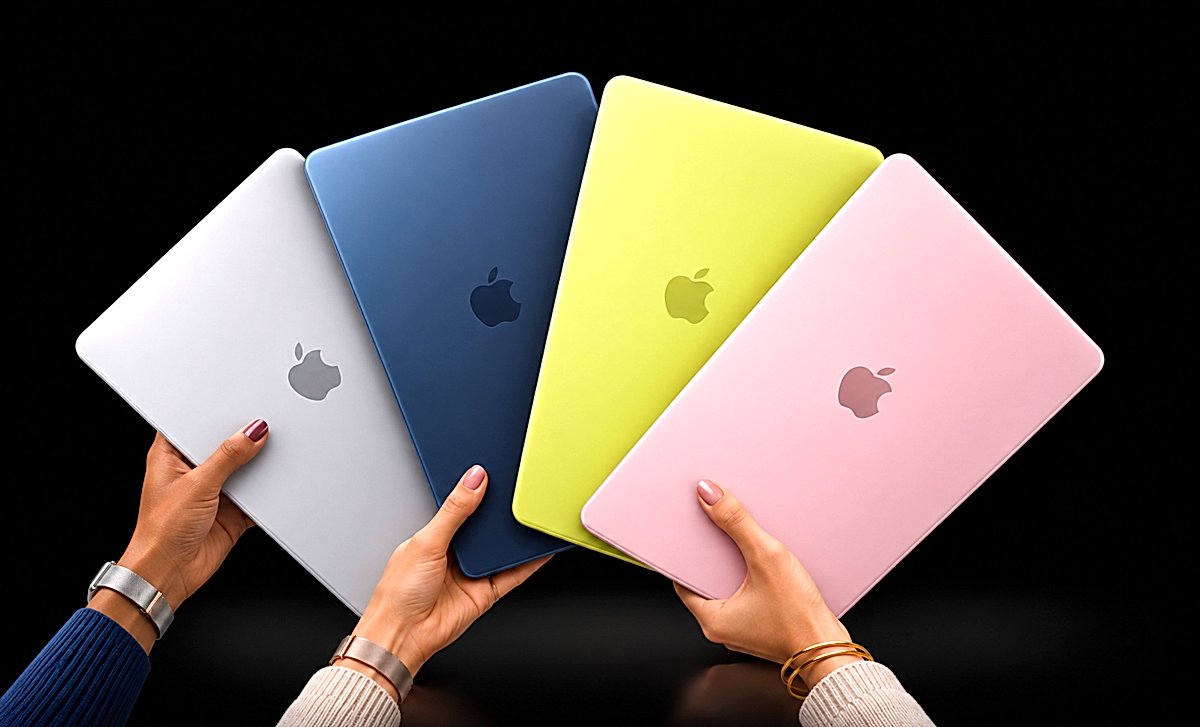
The MacBook Neo looks straightforward until your workload grows
Choosing a MacBook Neo can seem simple: save money on the base model or pay for more storage. The underlying question is broader: is the MacBook Neo suitable for studying and working? For browsing, documents and light tasks, it can be. The difficulty starts when that answer is extended to sustained multitasking, local files and changes in your routine without checking those requirements separately.
According to Apple’s MacBook Neo specifications, both configurations use the A18 Pro with a 6-core CPU, a 5-core GPU and 8 GB of unified memory.A responsive browser or word processor does not establish how the computer handles the combined demands of calls, tabs and projects that must stay open. More SSD storage does not buy more memory.
The fixed-memory trade-off is straightforward: more storage accommodates files but does not expand working memory. Cloud-based documents can reduce local storage requirements, while overlapping projects and meetings raise a different question. Our MacBook Air configuration guide explores memory choices without treating another model as an automatic answer for everyone.
Initial responsiveness and sustained comfort are different observations. Identify which tasks need to stay active together before assuming that a quick first interaction represents an entire working day.
Check whether today’s workload fits fixed memory before making assumptions about future projects.
Fixed 8 GB memory: many simultaneous tabs can mean page reloads and interrupted work.
MacBook Neo 256GB vs 512GB: what actually changes
The Amazon US listings checked on November 14, 2026 showed the 256 GB MacBook Neo at US$ 686 and the 512 GB model at US$ 789.These are observed retail prices, not launch prices or a promise of future availability. The arithmetic difference is US$ 103. That comparison describes the dated observation rather than a permanent promotion.
The additional payment buys more local storage and a Magic Keyboard with Touch ID, as listed in Apple’s configurations. It does not buy a different CPU, a more powerful GPU or an option to add memory later.More internal capacity can reduce file transfers for offline classes, photographs or video. The benefit is less obvious if most documents stay in the cloud.
Comparing these models only by price per gigabyte would overlook biometrics and the effort of managing files. There is also a physical constraint: the iFixit teardown found soldered storage.The initial choice becomes a long-term commitment. An external SSD can hold files, but it does not change the internal configuration or remove the work of carrying and organizing those files.
The storage upgrade buys practical convenience. It does not remove the memory limit shared by both versions, so the value depends on your offline files and how much you use biometric authentication. That distinction keeps a useful storage purchase separate from an unsupported promise about application speed.
| Specification | Neo 256 GB | Neo 512 GB |
|---|---|---|
| Observed Amazon US price | US$ 686 | US$ 789 |
| Local storage | SSD 256 GB | SSD 512 GB |
| Biometric unlock | No Touch ID | Touch ID |
Both configurations use the same A18 Pro chip and 8 GB of fixed unified memory. RAM and SSD are soldered and cannot be conventionally upgraded.
Compare the additional cost with your need for offline files and biometric convenience.
The observed US$ 103 difference buys storage and Touch ID, not additional CPU capability.
Is fixed memory enough when tasks accumulate?
The independent Notebookcheck MacBook Neo review describes responsive everyday use while warning that heavier multitasking quickly fills the available memory. Those findings are compatible.Opening a website creates a short processing demand; retaining several pages, presentations and a video call together requires the system to manage resources over a longer period. The relevant limit may not appear in the first minute.
When free memory runs short, macOS can use temporary data on the SSD to keep processes running. That does not mean the computer necessarily freezes.It can mean reloading a tab or waiting while switching tasks. The larger storage configuration does not add RAM. Our MacBook Pro model guide discusses heavier workloads without assuming that every student needs a professional machine.
The iFixit teardown also confirms that memory and SSD capacity cannot be conventionally upgraded. That restriction matters differently across routines: light research and writing can accommodate choices that frequent work with large files may make inconvenient.There is no evidence for assigning an exact date when the Neo becomes insufficient. Its configuration remains fixed while software and working habits can change.
The larger SSD does not guarantee longevity. It adds room for files without establishing that multitasking limits disappear. Storage capacity and working memory remain separate considerations.
Identify memory pressure in real multitasking without inventing a deadline for obsolescence.
Soldered memory: switching between demanding programs may involve reloading data and slower resumptions.
Connections and battery life can add friction too
The Apple port specifications deserve a careful reading. Both connectors are USB-C, but one uses USB 3 with a theoretical ceiling of 10 Gb/s, while the other uses USB 2 with a ceiling of 480 Mb/s. These are interface specifications, not measured file-copy speeds. A hub does not make the slower port equivalent to the faster one.
Battery conditions matter as well. Notebookcheck measured 12 h 51 min of Wi-Fi browsing at 150 nits, compared with 4 h 49 min at maximum brightness in its laboratory protocol.These are measurements under different conditions, not guaranteed personal runtimes. Working near a bright window away from an outlet can require more screen brightness and shorten battery life. These results do not compare the two storage configurations.
Apple also lists one external display and USB-C charging, with neither Thunderbolt nor MagSafe included in the specifications. If you alternate between a desk setup, adapters and travel, accessories become part of the cost and convenience of ownership.The iMac connection comparison addresses another desktop context; it does not replace checking the actual peripherals you plan to connect to the Neo.
Matching connectors do not necessarily provide matching capabilities. Check which port supports your display or external drive, and which connection remains available while charging. Those practical requirements can affect a working day even when storage capacity is sufficient.
Repairability and everyday use still deserve consideration
The Neo has strengths that these restrictions do not erase. Macworld describes solid construction, a pleasing display and sufficient performance for general productivity. The iFixit teardown found a screwed-in battery and modular ports, making important repairs more straightforward than in less accessible designs.Replacing a worn component, however, is different from adding RAM or increasing the internal SSD capacity of a computer you already own. The base configuration requires less money and can accommodate someone who stores most documents online.
The larger version reduces the need to move local files and adds biometric unlocking. Both retain the same memory capacity. A useful comparison separates the convenience of keeping files internally from the resources available to active applications, rather than assigning one universal winner from the specification table.
The observed price can change before another purchase. Compare the exact capacity, condition and included features of the offer in front of you.Repair access can make a worn battery or damaged port easier to address, while soldered RAM and storage remain limits of the original configuration. Keep those separate when weighing the additional payment.
Find the right Mac for you
Answer 6 questions. Avoid buying the wrong Mac
1 of 6 Questions
When you're working, what usually happens?
Multitasking habits
This site contains affiliate links. We may earn a commission from qualifying purchases.